
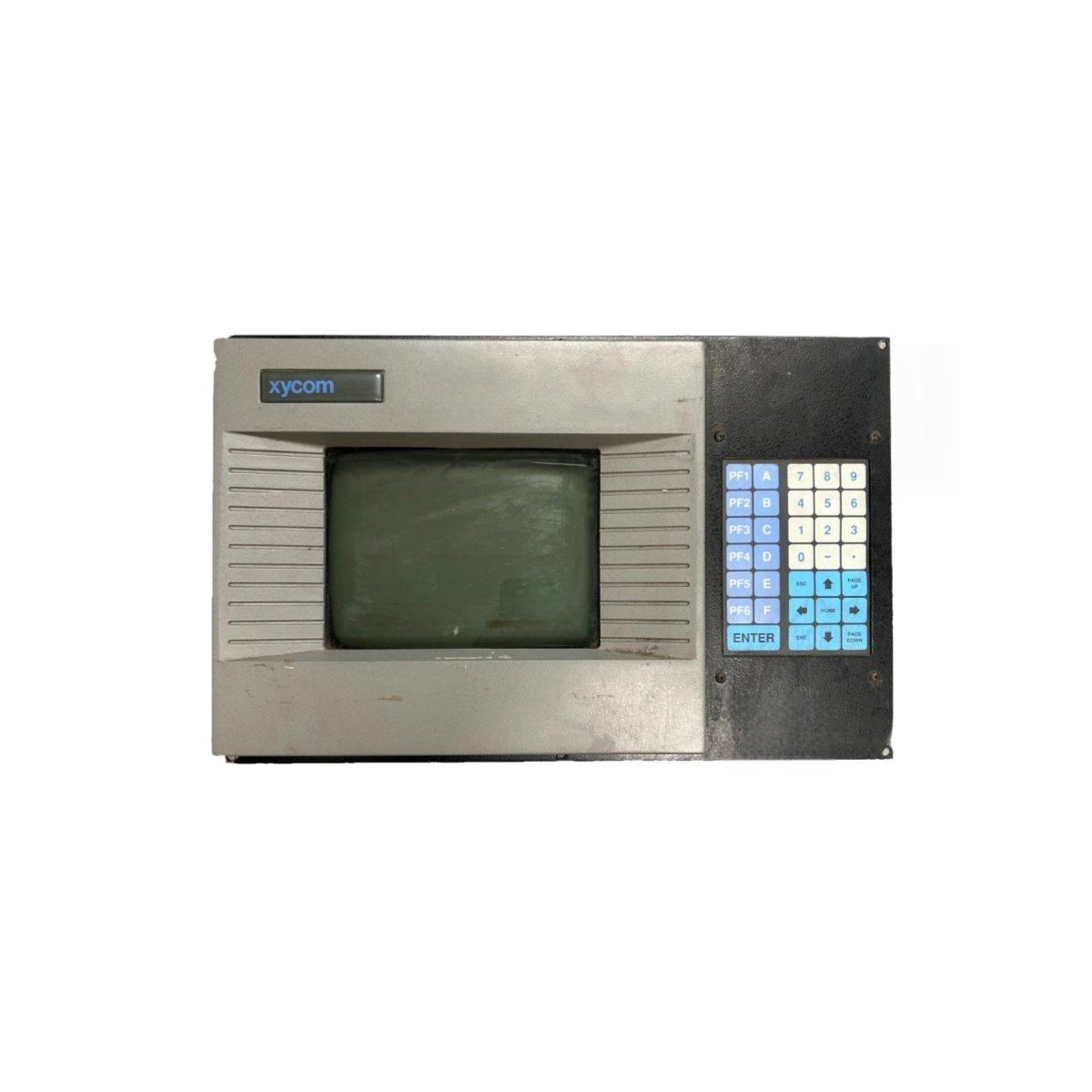
This Xycom touch screen panel provides intuitive operator control for industrial machinery. The Xycom 9400 features a responsive touch interface for efficient data entry and navigation. Its rugged construction ensures reliable operation in demanding factory environments. This panel suits machine control, process monitoring, and data acquisition tasks.
Display and Physical Specifications
The panel incorporates a 10.4-inch color TFT LCD with 640 x 480 pixel resolution. The display area measures 211 mm by 158 mm for clear visualization. Its overall dimensions reach 310 mm in width and 240 mm in height. The depth measures 85 mm behind the mounting surface. This unit weighs approximately 3.0 kilograms for stable panel installation. The Xycom 9400 includes an analog resistive touchscreen for precise operator input. Eight programmable function keys provide quick access to machine operations.
Electrical Specifications and Interface Options
This panel draws a nominal current of 500 mA from a 24 V DC supply. Peak inrush current reaches 2.5 A for approximately 25 milliseconds during startup. The device consumes about 12 W of power during normal operation. The panel provides one RS-232 port for programming and host communication. A second RS-485 port supports multi-drop network connections with PLCs. The Xycom 9400 includes a 10/100 Mbit/s Ethernet port for network integration. The unit features 8 MB of flash memory for application and data storage. An internal 470 µF capacitor provides energy storage for brief power interruptions.
Environmental Ratings and Mounting Details
Operating temperatures range from 0°C to 50°C for consistent performance. Storage temperatures extend from -20°C to 70°C without causing damage. Relative humidity tolerance reaches 85% with no condensation forming on surfaces. The front panel meets NEMA 4X and IP65 protection against dust and water jets. The Xycom 9400 includes an internal heater for cold-start operation below 0°C. Mount this panel using the provided brackets for a secure installation.
Detailed Specification Table
| Parameter | Specification |
|---|---|
| Display Type | 10.4-inch color TFT LCD |
| Resolution | 640 x 480 pixels |
| Display Area (W x H) | 211 mm x 158 mm |
| Dimensions (W x H x D) | 310 mm x 240 mm x 85 mm |
| Weight | Approx. 3.0 kg |
| Touchscreen | Analog resistive |
| Function Keys | 8 (programmable) |
| Supply Voltage | 24 V DC |
| Current Consumption | 500 mA (nominal) |
| Power Consumption | 12 W |
| Communication Ports | RS-232, RS-485, Ethernet |
| Flash Memory | 8 MB |
| Energy Storage Capacitance | 470 µF |
| Operating Temperature | 0°C to 50°C |
| Front Panel Protection | NEMA 4X / IP65 |
Application and Installation Guidelines
Install this panel in a clean, vibration-free location on the machine front. Cut a 280 mm x 220 mm opening in the control desk panel. Insert the unit from the front and secure it using the provided brackets. Connect the communication cables before applying power to the unit. The Xycom 9400 supports configuration via the manufacturer’s software tools. Use the function keys for frequently performed tasks like start and stop. Clean the touchscreen surface with a soft, damp cloth regularly. Verify the communication settings match the connected PLC configuration.
Details
| Weight | 2.85 kg |
|---|---|
| Dimensions | 41.2 × 17.8 × 6.2 mm |
Reviews
There are no reviews yet.