
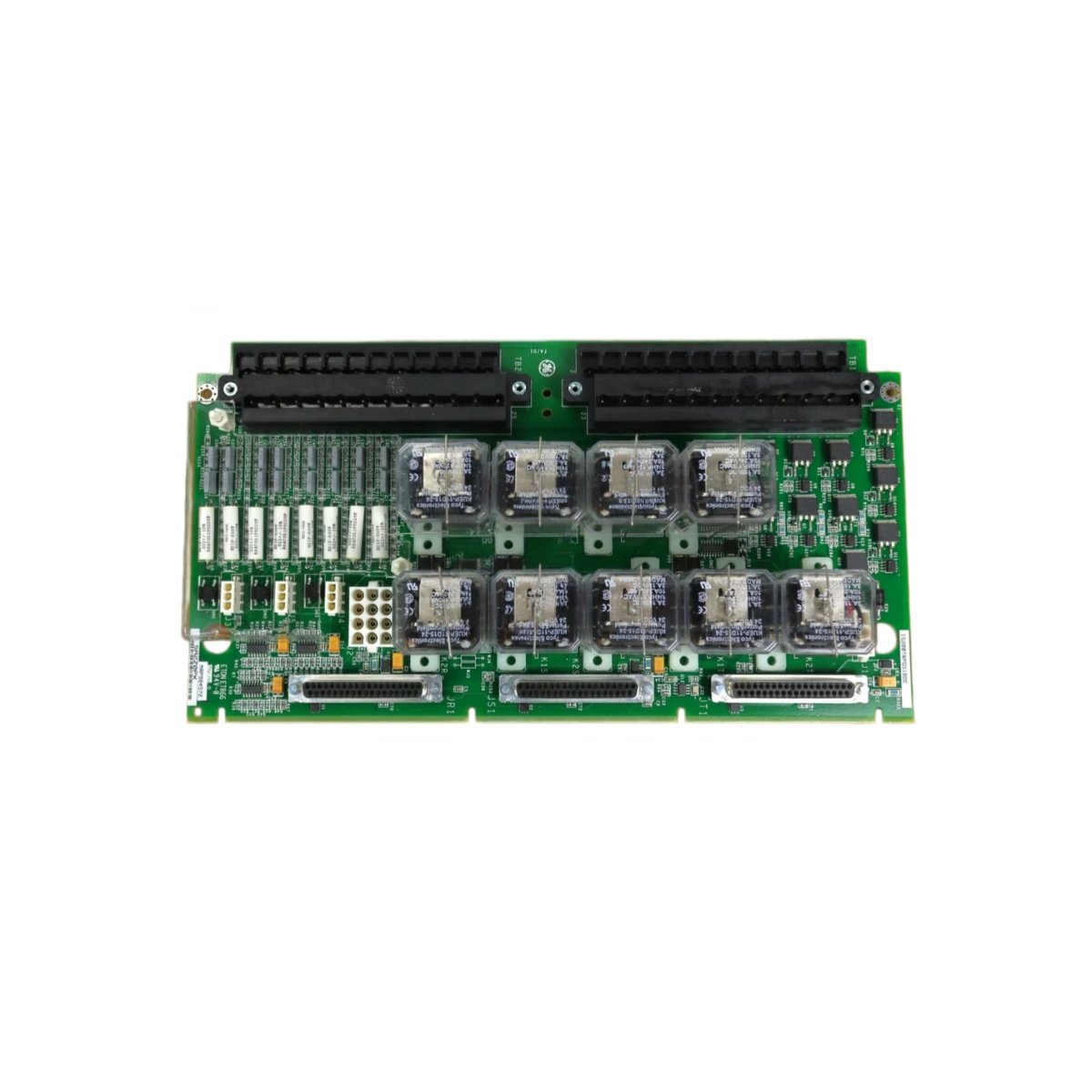
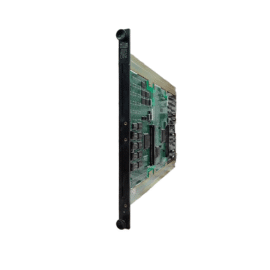
The GE IS200STCIS6A IS200STCIS6AED Contact Input Terminal Board provides discrete signal termination for Mark VIe systems. This board connects field contact inputs to the turbine controller. You will find it in gas turbine and steam turbine control applications. It accepts 24 VDC discrete signals from limit switches and pressure switches. Therefore, this unit enables reliable status monitoring of turbine auxiliary systems.
The GE IS200STCIS6A IS200STCIS6AED Contact Input Terminal Board measures 220 mm in height and 145 mm in width. Its depth reaches 30 mm for DIN rail mounting. The unit weighs approximately 0.50 kilograms. It contains no active electronic components at all. Twenty screw terminals accept field contact wiring and shield connections. Additionally, you get two 50-pin ribbon headers for I/O pack connection.
Key Technical Specifications
| Parameter | Value |
|---|---|
| Manufacturer | GE Energy / General Electric |
| Model | IS200STCIS6A / IS200STCIS6AED |
| Product Type | Contact Input Terminal Board |
| Contact Input Channels | 16 (24 VDC discrete) |
| Terminal Count | 20 (screw type) |
| Wire Gauge Range | 24 to 14 AWG |
| I/O Pack Connector | 2 x 50-pin ribbon header |
| Height | 220 mm |
| Width | 145 mm |
| Depth | 30 mm |
| Weight | 0.50 kg |
| Internal Components | 0 (fully passive) |
| Energy Storage | 0 Joules (none) |
| Mounting Type | 35 mm DIN rail |
| PCB Layer Count | 4-layer |
| Dielectric Strength | 1500 VAC |
| Operating Temperature | -30°C to +65°C |
| Terminal Pitch | 6.0 mm spacing |
Internal Architecture and Energy Storage
The GE IS200STCIS6A IS200STCIS6AED Contact Input Terminal Board stores absolutely no electrical energy internally. It contains no capacitors, batteries, or semiconductor devices. Twenty screw terminals connect directly to two 50-pin ribbon headers through copper traces. Each contact input channel uses one terminal for the 24 VDC signal and one for common return. The PCB uses a 4-layer construction for noise reduction on discrete signals. A metal DIN rail clip provides secure mounting and chassis grounding. The board includes a dedicated ground terminal for shield drain wires. Each terminal has a test point for signal verification.
Connection Interfaces and Wiring Details
You will find 20 screw terminals arranged for sixteen contact input channels. Each channel uses two terminals: IN for signal and COM for return. Connect the field contact positive wire to the IN terminal. Connect the contact return wire to the adjacent COM terminal. The GE IS200STCIS6A IS200STCIS6AED Contact Input Terminal Board includes two 50-pin female headers on the PCB. Connect one header to the discrete input I/O pack using a shielded ribbon cable. Connect the second header to another terminal board for additional channel expansion. Use 16 to 22 AWG wire for all contact input connections. Connect the shield drain wire to the ground terminal for long cable runs.
Installation and Mounting Steps
You mount this terminal board onto standard 35 mm DIN rail. First, hook the top clip onto the rail edge securely. Then, press the bottom toward the rail until it snaps into place. Slide the board along the rail for easy panel layout. Connect all contact wiring before attaching the I/O pack. The GE IS200STCIS6A IS200STCIS6AED Contact Input Terminal Board requires no external power supply. It simply routes discrete signals between field contacts and the I/O pack. For high-vibration areas, add end stops on both rail ends. Label each terminal with its corresponding contact name clearly. Connect the ribbon cable between the terminal board and the discrete input I/O pack. Test each channel with a continuity checker before system startup.
Details
| Weight | 0.1 kg |
|---|---|
| Dimensions | 25 × 108 × 127 mm |
Reviews
There are no reviews yet.