
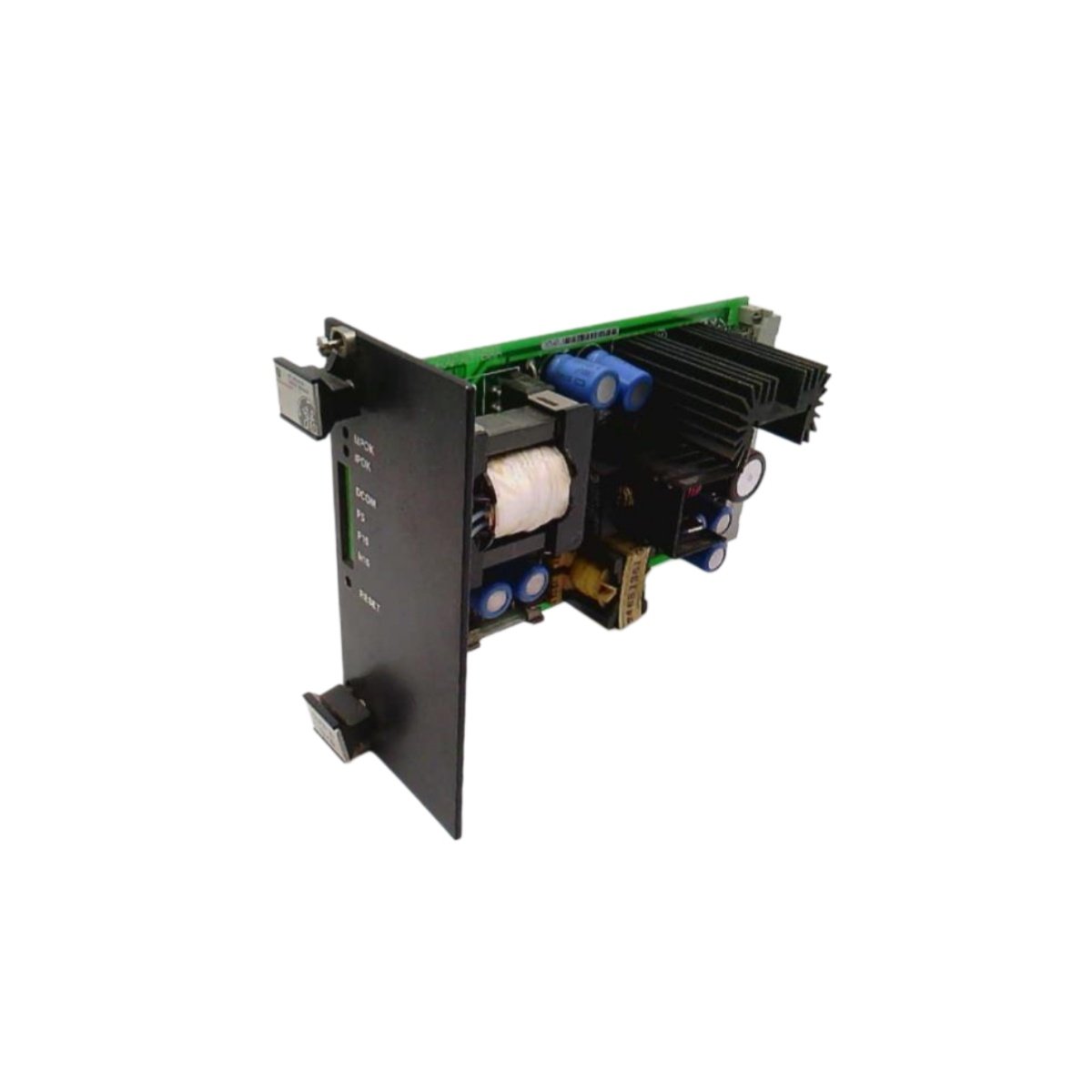
The GE IS200DSPXH1C IS200DSPXH1CAA board functions as a digital signal processor within Mark VI systems. This GE IS200DSPXH1C IS200DSPXH1CAA model handles real-time turbine control calculations. You will find this board inside a standard Speedtronic rack enclosure. It communicates directly with other Mark VI modules through the backplane.
Technical Specifications
Below are the accurate technical parameters for this circuit board.
| Parameter | Specification |
|---|---|
| Full Product Model | GE IS200DSPXH1C IS200DSPXH1CAA |
| Category | Speedtronic Circuit Printed Board |
| Width | 3.5 inches (88.9 mm) |
| Height | 9.5 inches (241.3 mm) |
| Weight | 0.63 kg (1.39 lbs) |
| Onboard Processors | 1 main DSP chip |
| Heatsinks | 3 independent aluminum units |
| Jumper Switches | 5 configurable positions |
| Backplane Connectors | 2 ports (P1 and P2) |
| Diagnostic Test Port | 1 dedicated interface |
| SRAM Memory | 128 KB for temporary data |
| Flash ROM Storage | 512 KB for persistent firmware |
| Operating Voltage | 5 V DC from backplane supply |
Physical Design and Component Layout
This GE IS200DSPXH1C IS200DSPXH1CAA board uses a rigid epoxy substrate with green solder mask. Three aluminum heatsinks sit directly on top of the main processor. These heatsinks draw heat away during continuous turbine operations. You will also locate five jumper switches along the upper board edge. Each jumper modifies a specific communication or addressing setting.
Two backplane connectors anchor the GE IS200DSPXH1C IS200DSPXH1CAA securely into the rack. A single test port supports offline diagnostics and firmware updates. The board retains all critical data inside its 512 KB Flash ROM. Temporary calculations run through the 128 KB SRAM instead.
Installation and Safe Handling
Always wear a grounded wrist strap before touching this board. Hold the GE IS200DSPXH1C IS200DSPXH1CAA firmly by its non-conductive edges. Insert the board straight down until both backplane connectors click into place. Then confirm that all five jumpers match your system configuration. Wrong jumper settings will cause communication failures immediately. After installation, run a full diagnostic scan from the Mark VI software interface.
Details
| Weight | 0.1 kg |
|---|---|
| Dimensions | 25 × 108 × 127 mm |
Reviews
There are no reviews yet.